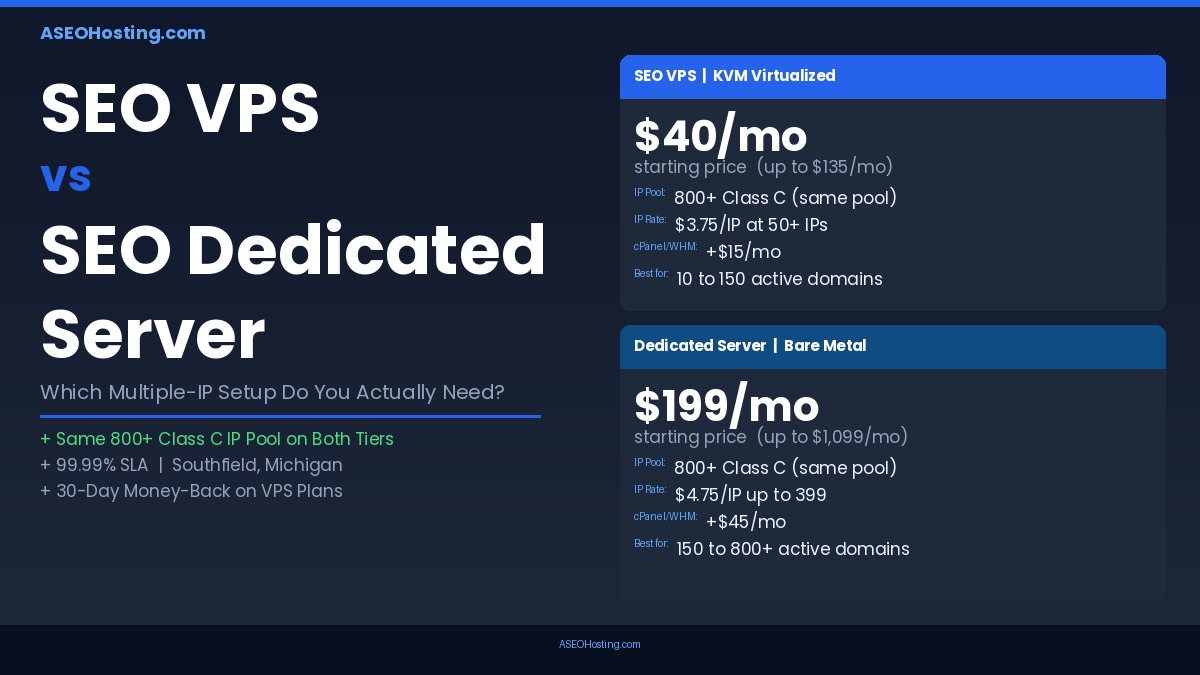
Comparing SEO VPS vs Dedicated Server? Both the ASEOHosting SEO VPS and Dedicated Server draw from the same 800+ Class C IP pool at the same IP Manager Tool. The choice is not about IP access — it is about the server resource model beneath your IP network. The SEO VPS (from $40/mo) is the right call for networks under 150 active domains with moderate crawl workloads. The Dedicated Server (from $199/mo) is justified when concurrent crawl activity, 150+ WHM accounts, and bare-metal performance isolation become operational requirements. The IP cost-per-domain math favors the VPS at mid-scale (50–150 IPs at $3.75/IP) and the Dedicated at large-scale operations where resource adequacy outweighs the per-IP rate difference.
Choosing between an SEO VPS vs dedicated server comes down to one variable most comparison guides never surface: not which tier gives you Class C IP access — both do, from the same 800+ IP pool — but how much raw server resource sits beneath that IP network. Both products include multiple Class C IPs, root access, and the IP Manager Tool to reassign addresses with a single click. The actual decision is about what manages those IPs: a KVM-allocated virtual slice on shared hardware, or full ownership of a bare-metal machine with no hypervisor overhead and no competing tenants.
What Actually Separates an SEO VPS from an SEO Dedicated Server
Furthermore, the distinction between these two tiers runs deeper than the price tag. The infrastructure model underneath your IP network determines how your server handles concurrent requests, WHM overhead, and crawler load — and that model is fundamentally different between the two products.
KVM Virtualization vs. Bare Metal — What It Means for a Multi-Site IP Network
An ASEOHosting SEO VPS runs on KVM-based virtualization — your plan receives a guaranteed allocation of RAM (1 GB to 8 GB), CPU cores (1 to 6), and SSD storage (75 GB to 250 GB), isolated from other VPS instances on the same physical host. That isolation is real and enforced by the hypervisor. However, the underlying physical machine is shared, which means CPU time is scheduled across VPS instances by the hypervisor even when your core allocation is protected.
A Dedicated Server eliminates that layer entirely. When you lease an ASEOHosting dedicated machine — starting from the 4-core Intel Xeon E3-1231 v3 at $199/mo — every CPU cycle, every GB of RAM, and every I/O operation belongs exclusively to your account. There is no hypervisor scheduling your processes alongside anyone else’s. For multi-site Class C IP networks, this distinction surfaces under load: when WHM is managing hundreds of cPanel accounts, when link-monitoring scripts run across dozens of outbound IPs simultaneously, and when WordPress installs are serving live search traffic concurrently.
The 800+ Class C IP Pool Is Identical on Both — Here’s What Isn’t
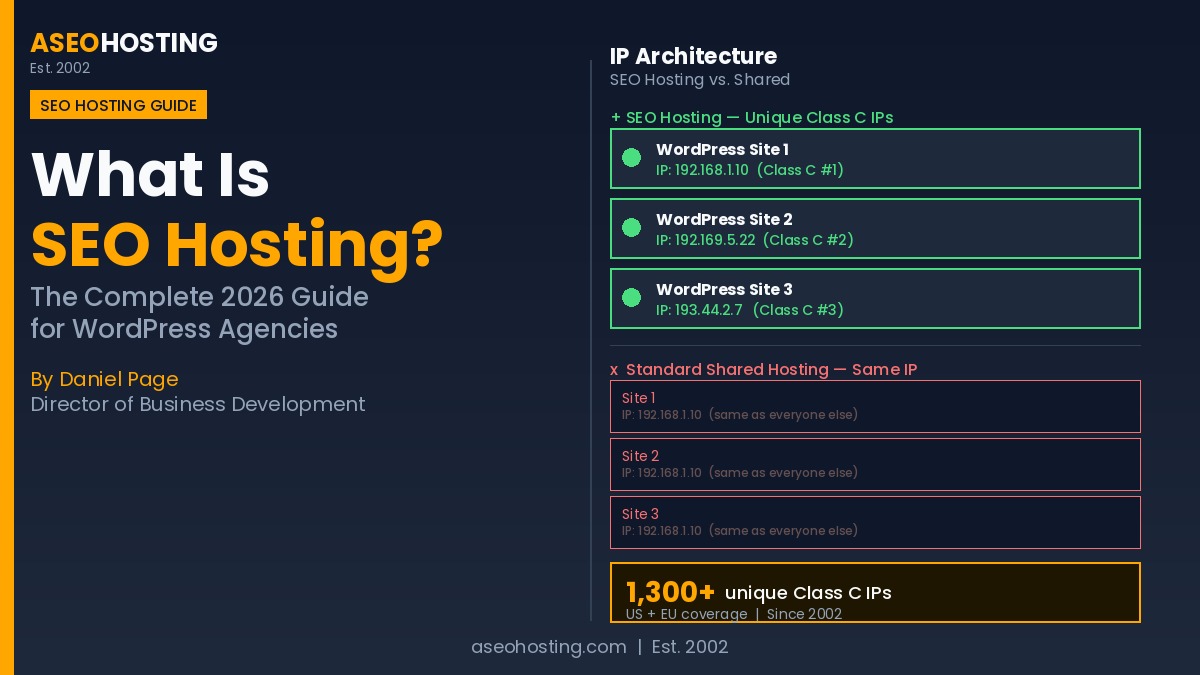
The IP layer is genuinely equivalent across both tiers. As explained in our detailed guide to what SEO hosting actually is, ASEOHosting maintains a pool of over 800 distinct Class C subnets, with each IP assigned exclusively — no address is shared between accounts. Whether you are on a $40/mo VPS or a $1,099/mo dual-Xeon dedicated machine, you pull from that same pool. The IP Manager Tool assigns or reassigns any Class C IP to any domain in your account in a single click, without a support ticket, on both tiers.
Consequently, what differs is what manages those IPs: a KVM-allocated virtual slice with 1–8 GB RAM, or a bare-metal machine with 16–64 GB RAM and no hypervisor overhead. The IP pipeline is identical. The server that processes inbound Googlebot requests and outbound link-monitoring traffic is not. That server model is what this decision actually turns on.

How Many Class C IPs Do You Actually Need? (The Question Competitors Skip When Comparing SEO VPS vs Dedicated Server)
In practice, most buyers anchor this decision on IP count rather than workload. That framing misses the real constraint. The correct question is: how much server resource does your IP network demand at your target operating scale? Here is a scale-based breakdown drawn from the ASEOHosting plan specifications.
Small Networks Under 75 Domains: VPS Has Plenty of Headroom
For a domain network under 75 sites, the SEO VPS handles the workload without resource contention. The VPS-2 tier ($60/mo, 2 GB RAM, 2 cores) or VPS-3 ($90/mo, 4 GB RAM, 4 cores) manages 75 cPanel accounts under WHM with typical publishing loads — a WordPress install serving organic traffic and a standard content update schedule is a predictable, moderate workload that sits well within the VPS-3 resource envelope.
Additionally, the IP add-on cost at this scale is favorable: once you cross 50 IPs, the VPS rate drops to $3.75 per IP — the lowest per-IP rate in the entire ASEOHosting catalog. A 60-IP VPS network at the mid-volume tier runs approximately $225 in IP add-ons, making a full multi-IP setup achievable under $330/mo including cPanel. The 30-day money-back guarantee on SEO VPS plans also reduces entry risk while you validate your workload assumptions.
Mid-Scale Networks of 75–200 Domains: The Resource Crossover Zone
Between 75 and 200 active domains, resource planning becomes non-trivial. WHM managing 150 cPanel accounts tracks DNS zones, MySQL databases, and email configurations for each — a memory footprint that runs approximately 3–5 GB for the process stack alone before a single WordPress install serves a request. Add cron jobs, monitoring scripts, and nightly backups, and the VPS-3 at 4 GB RAM reaches its practical ceiling around 100 accounts.
The VPS-4 tier ($135/mo, 8 GB RAM, 6 cores) extends that ceiling meaningfully. At 150 domains, this plan is the correct VPS choice. However, it is worth running the total cost math here: VPS-4 at $135/mo plus 100 IPs at $3.75 each ($375) plus cPanel ($15) equals $525/mo total. The entry dedicated server at $199/mo plus the same 100 IPs at $4.75 each ($475) plus cPanel ($45) equals $719/mo. The VPS wins on total cost at the 100-IP scale — but you are operating near its resource ceiling, which has implications for concurrent crawl workloads.
Large Operations Above 200 Domains: Why Bare Metal Wins on Crawl Concurrency
Above 200 active domains, the server resource model determines outcomes more than IP pricing does. Managing 200 cPanel accounts in WHM, serving live WordPress traffic across all domains, running automated link-verification crawlers across 200 outbound Class C IPs, and processing rank-tracking or monitoring scripts simultaneously exceeds the practical envelope of 8 GB RAM and 6 vCPU cores — even with an efficient server stack.
The entry-level ASEOHosting dedicated SEO server (Intel Xeon E3-1231 v3, 4 cores at 3.4 GHz, 16 GB RAM) doubles the RAM ceiling immediately. Moreover, for crawl-intensive operations, the 3.4 GHz physical clock speed of the Xeon E3 matters: as Google’s crawler infrastructure documentation illustrates, outbound link-check scripts and per-domain monitoring processes often run as single-threaded operations, making per-core clock speed more directly useful than aggregate vCPU count on a shared KVM host.
SEO VPS vs Dedicated Server: The Honest Head-to-Head That Tells the Truth
Specifically, the following table covers every specification dimension a multiple-IP buyer should evaluate before choosing a tier. All figures are drawn directly from ASEOHosting’s verified live product pages. This is the ASEOHosting SEO VPS vs Dedicated Server — Key Specifications and IP Economics table, structured as a standalone reference.
| Feature | SEO VPS (ASEOHosting) | SEO Dedicated Server (ASEOHosting) |
|---|---|---|
| Starting price | $40/mo | $199/mo |
| Top plan price | $135/mo | $1,099/mo |
| Hardware model | KVM virtualized — shared physical host | Bare-metal — exclusive physical machine |
| Entry-level RAM | 1 GB → up to 8 GB | 16 GB → up to 64 GB |
| Entry-level CPU | 1 core → 6 cores (vCPU) | 4 physical cores @ 3.4 GHz → 16 cores @ 2.4 GHz |
| IP pool access | 800+ Class C IPs (same pool) | 800+ Class C IPs (same pool) |
| IP add-on pricing | $4.75 (5–49) → $3.75 (50–799) → $3.25 (800–1,000) | $4.75 (5–399) → $4.25 (400–800) |
| cPanel/WHM cost | +$15/mo | +$45/mo |
| Optimal domain scale | 10–150 active domains | 100–800+ active domains |
| Crawl concurrency | Moderate — KVM scheduling overhead under heavy load | High — no hypervisor layer, direct hardware access |
| Uptime SLA | 99.99% network uptime | 99.99% network uptime |
| Free migration | Not stated | Free from any cPanel host |
| Money-back guarantee | 30-day | Not stated |
| Datacenter location | Southfield, Michigan, USA | Southfield, Michigan, USA (same facility) |
When an SEO VPS Is the Right Multiple-IP Setup for You
Directly: choose the SEO VPS when your domain count is below 150, your crawl workload is scheduled rather than simultaneous, and the $3.75/IP mid-tier pricing gives you the best per-IP cost in the ASEOHosting catalog. Additionally, the VPS tier makes sense when your operation is still in a build-and-scale phase — where flexibility and a lower monthly commitment matter more than bare-metal performance headroom.
Specifically, the ASEOHosting SEO VPS delivers best value when:
- Your PBN or niche site network runs 10 to 100 domains with regular content updates and link acquisition
- Your agency manages up to 75–100 client accounts requiring IP isolation — but crawlers run overnight, not around the clock
- Your crawl workload is scheduled: link-verification scripts run at off-peak hours rather than in parallel across all domains simultaneously
- You want full root access and cPanel/WHM without committing to dedicated server pricing and cPanel fees
- You need the 30-day money-back window to validate your workload before a long-term infrastructure commitment
- Your IP count is in the 50–150 range, where VPS add-on pricing at $3.75/IP beats the dedicated server rate
Moreover, for agencies that also manage smaller client sites needing basic shared IP hosting, the ASEOHosting shared SEO hosting plans handle entry-level accounts, freeing the VPS for the clients that specifically need dedicated Class C IP addresses.
When an SEO Dedicated Server Is the Only Logical Answer
By contrast, the Dedicated Server becomes the logical choice when server resource limits — not IP count or per-IP price — drive the decision. Notably, this is the point most guides miss: the dedicated server is not a premium version of the VPS for buyers who want more IPs. It is a fundamentally different infrastructure tier for operations where concurrent resource demand exceeds what KVM-allocated resources can sustain.
Specifically, escalate to the ASEOHosting dedicated SEO server when:
- Your active domain count exceeds 150 and automated crawlers run daily across the full domain set
- WHM is managing 100+ cPanel accounts with real traffic on each — not just parked domains
- You require bare-metal performance isolation for client SLAs where predictable response times matter
- Link-building or PBN operations depend on simultaneous outbound crawler activity across 150+ unique Class C IPs during peak hours
- Custom kernel configurations, server-level firewall rules, or specialized SEO tooling require direct hardware access
- The Michigan datacenter’s Intel Xeon hardware specs and Detroit Internet Exchange connectivity (450 Gbps peak, 50+ member networks) are relevant to your crawl latency requirements
In practice, the entry ASEOHosting dedicated plan at $199/mo delivers 16 GB RAM and 4 physical cores at 3.4 GHz — compared to the VPS-4 at 8 GB RAM and 6 vCores at $135/mo, the $64 monthly premium buys doubled RAM, dedicated physical cores, and no hypervisor scheduling overhead. At 150+ active domains with daily crawl activity, that premium is justified operationally, not just aspirationally. For operations with WordPress-optimized hosting needs for individual client sites within a larger portfolio, ASEOHosting’s WordPress SEO hosting can handle those accounts while the dedicated server manages the multi-IP backbone.
ASEOHosting’s SEO VPS vs Dedicated Server Plans: Verified Specs, IP Math, and Real Monthly Costs
The most actionable data point for this decision is a total monthly cost comparison at your target IP count. The calculator below takes your required number of Class C IPs and returns the all-in monthly cost — base plan, IP add-ons, and cPanel — for both the SEO VPS and the Dedicated Server. All pricing is drawn from ASEOHosting’s verified live product pages. The VPS recommendation logic uses the minimum plan capable of running your IP count under WHM without resource contention at moderate crawl loads. As we cover in our guide on how hosting affects LLM visibility, infrastructure choices cascade beyond SEO ranking signals into AI citability — another reason the right-tier decision compounds over time.
IP Budget Calculator: SEO VPS vs Dedicated Server
Move the slider to your required number of Class C IPs. See the all-in monthly cost for each tier — base plan, IP add-ons, and cPanel included.
Your Decision Checklist: SEO VPS or Dedicated Server?
In summary, use the checklist below to confirm your tier choice before ordering. As detailed in our post on AI citation volatility and infrastructure stability, the server-tier decision has implications beyond search rankings — predictable infrastructure reduces the technical volatility that disrupts AI engine citation patterns for your client sites.
Choose SEO VPS if:
- Active domain count is below 150
- Crawl activity is scheduled, not simultaneous
- Budget efficiency is a primary constraint
- You want the lowest per-IP rate (50+ IPs at $3.75)
- Your operation is in a build-and-scale phase
- You need the 30-day money-back flexibility
Choose Dedicated Server if:
- Active domain count exceeds 150
- Crawlers run simultaneously across the full domain set
- WHM manages 100+ active cPanel accounts
- Client SLAs require bare-metal performance
- Custom kernel or server configurations are required
- Crawl concurrency, not IP count, is the binding constraint
FAQ: SEO VPS vs Dedicated Server for Multiple-IP SEO
Is an SEO VPS or dedicated server better for building a 100-site Class C IP network in 2026?
Specifically, an SEO VPS is the stronger choice for building a 100-site Class C IP network in 2026, provided crawl workloads are moderate and your domain count stays below 150. The VPS-3 or VPS-4 plan from ASEOHosting provides sufficient RAM and CPU cores to manage 100 cPanel accounts in WHM without resource contention under normal publishing loads. However, if your 100 sites run daily automated crawls simultaneously across all outbound Class C IPs, the KVM resource ceiling may surface sooner — and a dedicated server's bare-metal performance becomes justified. See the IP Budget Calculator above for a full cost comparison at your target IP count.
What is the core difference between an SEO VPS vs dedicated server when both access the same IP pool?
Fundamentally, the core difference between an SEO VPS vs dedicated server is the physical server model, not the IP pool access. Both tiers draw from ASEOHosting's 800+ Class C IP pool, and both use the same IP Manager Tool to assign addresses to domains. What differs is that a VPS allocates a guaranteed virtual slice of a shared physical machine, while a dedicated server gives you the entire physical machine — all CPU cores, all RAM, all storage — with no hypervisor overhead and no competing tenants. The IP pipeline is identical; the server that manages it is fundamentally different.
Does the SEO VPS vs dedicated server cost gap close or widen when you scale past 100 Class C IPs in 2026?
Interestingly, the SEO VPS vs dedicated server cost gap on IP add-ons actually narrows at scale in 2026. Once you cross 50 IPs on a VPS plan, the add-on rate drops to $3.75 per IP — lower than the dedicated server rate of $4.75 per IP for the same quantity under 399. However, this per-IP saving is partially offset by the likelihood that managing 100+ active domains concurrently pushes VPS resource usage toward the $135/mo VPS-4 tier, narrowing the total monthly cost difference versus the $199/mo entry-level dedicated plan once cPanel fees are counted on both sides.
When should I upgrade from an ASEOHosting SEO VPS to a dedicated server after my PBN reaches 150 active domains?
Notably, the upgrade trigger from an ASEOHosting SEO VPS to a dedicated server for a 150-domain PBN is not the domain count itself — it is concurrent resource demand. When WHM is managing 150 cPanel accounts, automated crawlers are monitoring link health on all 150 domains simultaneously, and WordPress installs are serving live traffic, a KVM VPS at 8 GB RAM and 6 cores operates near its ceiling. At that scale, the $199/mo ASEOHosting dedicated entry plan provides 16 GB RAM and 4 dedicated physical cores at 3.4 GHz — meaningfully more headroom for simultaneous workloads without hypervisor scheduling contention.
How does KVM overhead on an SEO VPS affect crawl concurrency versus a dedicated server under the same link-building load?
Technically, KVM hypervisor overhead on an SEO VPS reduces effective crawl concurrency because physical CPU cores are time-sliced among all VPS instances on the host machine, even when your allocated core count is guaranteed. Under simultaneous link-building crawler load across 100+ outbound Class C IPs, the hypervisor scheduling queue adds per-thread latency that compounds at scale. A dedicated server eliminates this layer entirely: your crawler processes run directly on physical silicon with no hypervisor queue, which is why bare-metal performance scales more predictably under high-concurrency SEO network workloads.
Can an ASEOHosting SEO VPS at $135/mo handle WHM, 100 Class C IPs, and simultaneous Screaming Frog crawls without throttling?
Generally, an ASEOHosting SEO VPS at $135/mo (VPS-4: 8 GB RAM, 6 cores) handles WHM plus 100 Class C IP assignments without issue under standard operating conditions. However, running simultaneous Screaming Frog crawls across all 100 domains from the same server is a significantly heavier workload: full-site audits consume substantial RAM and disk I/O independently of domain count. For moderate sessions under 5 concurrent crawls, VPS-4 manages cleanly. For large-scale simultaneous crawls across the full 100-domain network, a dedicated server's additional RAM and direct hardware access prevent the I/O bottleneck that WHM and multi-session Screaming Frog can trigger together under KVM resource scheduling.
What advantage does ASEOHosting's Detroit Internet Exchange connection give dedicated server customers over VPS customers?
Specifically, ASEOHosting's dedicated servers in Southfield, Michigan sit in a facility directly connected to the Detroit Internet Exchange — an internet exchange point with over 50 member networks and 450 Gbps of peak traffic capacity. For dedicated server customers, this means outbound link-building requests and inbound Googlebot traffic route through a lower-latency path with more carrier options than a standard ISP connection. VPS customers benefit from the same data center campus, but dedicated server customers have exclusive access to their machine's full bandwidth allocation without hypervisor-imposed sharing on the physical network interface.
Which multiple-IP setup has a lower cost-per-domain for an SEO agency managing 200 client sites in 2026 — SEO VPS or dedicated server?
Ultimately, the dedicated server delivers stronger per-domain value for an SEO agency managing 200 client sites in 2026, once total resource requirements are factored in — not just IP costs. On a VPS at this scale: VPS-4 ($135) plus cPanel ($15) plus 200 IPs at $3.75 ($750) totals $900/mo. On an ASEOHosting dedicated server: entry plan ($199) plus cPanel ($45) plus 200 IPs at $4.75 ($950) totals $1,194/mo. The dedicated option costs more, but delivers 16 GB RAM with dedicated physical cores — resources the VPS-4 cannot reliably sustain for 200 concurrent active cPanel accounts under daily crawl workloads.
Does the choice of SEO VPS vs dedicated server affect how Googlebot re-crawls a domain after a Class C IP reassignment in the IP Manager Tool?
Fortunately, the choice of SEO VPS vs dedicated server does not directly affect Googlebot's re-crawl speed following a Class C IP reassignment via the IP Manager Tool. Google's re-crawl decision is driven by content signals, DNS propagation speed, and historical crawl patterns — not the physical or virtual nature of the server behind the IP. The IP Manager Tool operates at the IP assignment layer, not the hardware layer, and DNS propagation timelines are governed by TTL settings regardless of whether the account lives on a VPS or a dedicated machine. Both tiers resolve IP reassignments identically at the DNS level.
What is the minimum ASEOHosting dedicated server plan for a 200-domain link-building network that runs daily automated crawls?
Accordingly, the minimum ASEOHosting dedicated server plan appropriate for a 200-domain link-building network with daily automated crawls is the Ded-2 tier at $349/mo — the Intel Xeon E-2356G with 6 cores at 3.2 GHz and 16 GB RAM. The entry Ded-1 plan at $199/mo (4 cores, 16 GB RAM) has adequate RAM for 200 cPanel accounts at rest but can encounter CPU saturation when daily crawler processes overlap with peak WHM activity. The 6-core Ded-2 plan provides enough parallel processing headroom to run crawler and WHM workloads concurrently without throttling, while keeping the monthly all-in cost substantially below the dual-Xeon configurations.